
How to Choose a Photo for a Personalized Fabric Lamp
A photograph on a fabric lampshade becomes part of a display you see across the room, rather than an image you hold close like a phone. When choosing a photo for a personalized fabric lamp, consider the subject, the crop and the wording already built into the design. A little checking before uploading can help you choose a picture that suits both the layout and the memory.
Start with the layout, then choose the photo
Look at the product’s example before searching your camera roll. Notice where the photo sits, how much space is given to text and which parts of the design surround the picture. A close portrait may suit one layout, while a wider family photograph needs a different amount of room. The size of the lampshade does not tell you the size of the photo area.
Choose two or three possible images, then compare how each works with the design. Avoid choosing only by how an image looks at full size on your phone. Look at a smaller version too, so you can tell whether the person remains recognizable.
Leave room around the subject
A picture with a little space above the head and around the shoulders gives you more flexibility when cropping. If the person is already cut off by the edge of the original, a new crop cannot restore what is missing. For a group picture, check the people at both ends as carefully as the person in the center.
Use the preview available on the product page to review the actual placement. Check that faces and important details sit comfortably inside the photo area, away from any visible border or text. Review the whole design after cropping, rather than checking the photograph alone.
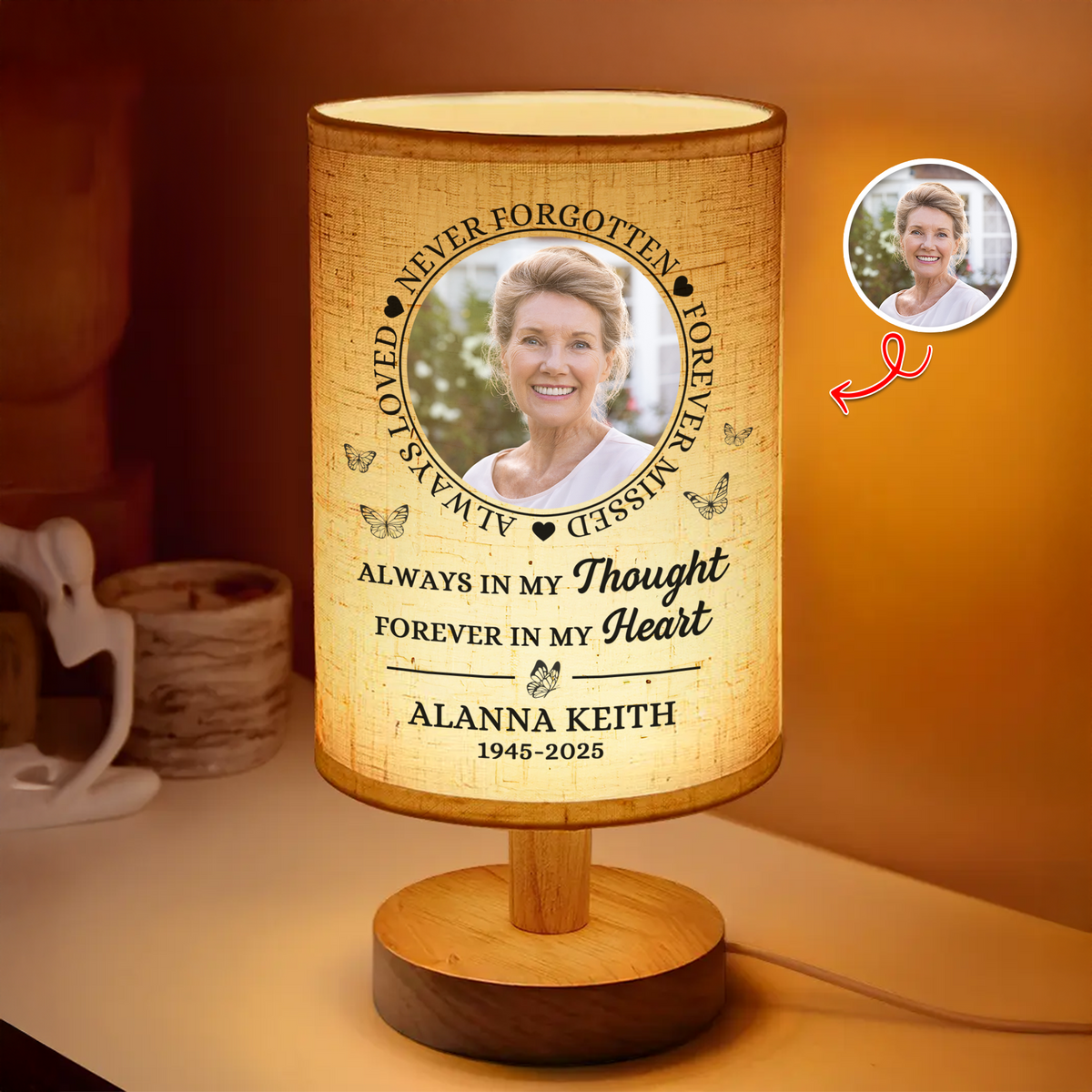
Use the clearest original you have
An original digital file usually gives you more useful detail than a screenshot of a social post. Compare the face, eyes and edges of the subject before uploading. Avoid strong filters that hide detail, and check for blur instead of relying on a bright screen to make a picture look clear.
If your favorite picture is an older print, make a clear digital copy while keeping the original safe. Do not assume that increasing a file’s dimensions adds missing detail. If you cannot tell whether a particular image will suit the design, ask about the image requirements before placing your order.
Match the photograph to the message
For a memorial lamp, choose the picture that the recipient would want to see in their home. An everyday smile may feel more personal than a formal portrait. Read the complete printed message too: the right photograph and the right wording need to work together.
If you are selecting a gift for someone else, ask which image they prefer when possible. Check that they are comfortable with the photograph being used on a keepsake. Review every editable name and date separately from the image, even if those details are familiar to you.
Check the lamp as well as the personalization
The Custom Photo Have No Fear Memorial lamp lists a total height of 10.24 inches and a USB Type-A power connection; a wall charger is not included. Those details matter when deciding where the finished gift will stand and how it will be powered. Check the specifications of your selected product rather than assuming all lamps use the same dimensions or accessories.
Before ordering, make one final pass through the photograph, crop, wording and product details. You can also compare personalized fabric lamp designs if another layout gives your chosen picture more room or expresses the memory more naturally.